Want to make your own multiplayer game for game night? With Aicodesit you can describe a game in plain English, let the AI build it, and play it live with friends and family a few minutes later — on phones, tablets and laptops, with nothing to install.
This guide shows you exactly how: what kinds of games you can make, the prompts to use, how to invite everyone with one link, and a live demo you can play right now.
Why make your own multiplayer game?
There are lots of party games online, but they are always somebody else's idea. When you make your own, the game can be about your people: questions about your family's holidays, inside jokes from your friend group, a quiz for your grandparents' anniversary, or a silly drawing game with your kids' favourite animals.
A homemade game is also a great conversation starter. "I made this for tonight" gets a very different reaction than "let's play this app". And because everyone plays in their own browser, it works just as well around the same table as over a video call with relatives in another country.
Until recently, building an online multiplayer game meant learning to code, renting servers and figuring out how to keep everyone's screen in sync. Today an AI game generator can do that work for you — and Aicodesit includes the live "rooms" that make multiplayer possible, so there is nothing extra to set up.
What kind of games can you make?
If you can describe it, you can try it. Here are ten ideas that work great for friends and family:
- Family quiz battle — questions about your family, a country or a film series, with a timer and a leaderboard.
- Draw and guess — one player draws a secret word, everyone else guesses in the chat.
- Emoji charades — describe a film or song using only emojis; the fastest correct guess wins.
- Bingo night — everyone gets a random card, the host calls numbers, and the first full row wins.
- Would you rather — everyone votes at the same time and sees who picked what.
- Word chain — each player adds a word that starts with the last letter of the previous one, against the clock.
- Reaction race — tap as soon as the screen turns green; the slowest player gets a funny penalty.
- Who said it? — guess which family member said a famous family quote.
- Treasure hunt clues — the game reveals the next clue to everyone when a team solves the last one.
- A simple arena game — move a little character around and collect stars before the others do.
The first nine are the easiest and the most fun for mixed ages. Arena games are possible too, but they need a little more polish to feel smooth.
How multiplayer works (in plain words)
Every game gets rooms. A room is like a private table: everyone who opens the same invite link sits at the same table and sees the same game. When one player answers, draws or moves, everyone else sees it instantly.
Behind the scenes this uses the same technology that powers online chat — a live connection called a WebSocket. You never have to think about it: the AI knows how to use Aicodesit's rooms and builds them into your game automatically.
- One link to join: the game creates a short room code and an invite link you can send in any chat app.
- No accounts needed to play: your guests just type a name and join.
- Works everywhere: phones, tablets and computers, in any modern browser.
- One player leads: usually the first player is the host who starts the game and runs the timer, so everyone sees the same thing.
Try a multiplayer game right now
Before you build your own, play the one we built with Aicodesit: Quiz Battle. Create a room, send the link to someone (or open it on your phone), and play eight family-friendly questions against each other. Faster correct answers score more points.
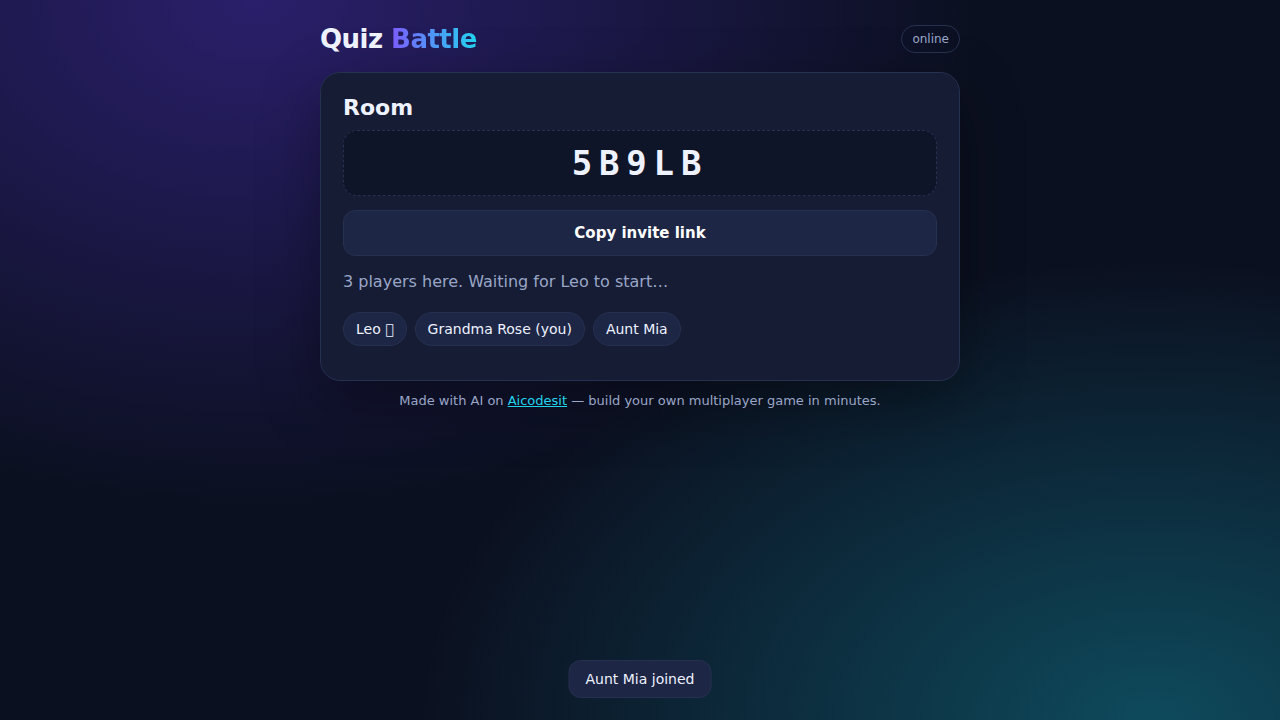
Quiz Battle is also a free template: open it from the template shop, and you have your own copy that you can change with the AI — your own questions, your own colours, your own rules.
How to make your own multiplayer game, step by step
Step 1: Create a free account and a new project
Sign up, open the dashboard and start a new project. You don't need any technical knowledge. The Free plan is enough to build your game and try it with up to 10 players; paid plans let hundreds or thousands play at once.
Step 2: Describe your game
Write what you want the way you would explain it to a friend. The more specific you are about the rules and the fun parts, the better the first version will be. A good first message includes:
- The idea: what kind of game it is.
- How people join: a room code and an invite link.
- The rules: rounds, timer, points, who wins.
- The feel: colourful, cosy, spooky, retro… and who will play (kids, grandparents, friends).
Step 3: Play it in two tabs
When the AI is done, open the preview in two browser tabs (or a tab and your phone) with the same room link. You are now two players. Try every part of the game and note what you would like to change.
Step 4: Make it better
Ask for changes in the same chat: "make the timer 20 seconds", "add sound when someone answers", "show confetti for the winner", "use our family photos as avatars". Small, specific requests work best.
Step 5: Share it
Send the invite link to your group chat and start playing. If you want a permanent address — for example for a yearly family tournament — you can publish the game on its own web address, and even connect your own domain.
Prompts you can copy
Copy one of these into the chat and change the details to fit your group:
- Family quiz: "Make a multiplayer quiz game for my family. Players join with a room code and an invite link. The first player is the host and starts the game. 10 questions about our family (I'll give you the questions), 20 seconds each, faster correct answers get more points, and show a podium at the end. Bright, friendly colours and big buttons for phones."
- Draw and guess: "Make a multiplayer drawing game. Players join a room with an invite link. Each round one player draws a secret word on a canvas and everyone else sees the drawing live and types guesses. Correct guesses get points; the drawer changes every round."
- Bingo night: "Make a multiplayer bingo game for game night. The host calls random numbers with a big animation, every player gets their own random card and taps numbers, and the first to complete a row presses BINGO and wins."
- Would you rather: "Make a multiplayer 'would you rather' game. Everyone in the room votes on two options at the same time; after 10 seconds, show who picked what with funny avatars."
Want to make a quiz in your own language? Just write the prompt in that language — the AI follows along.
Tips for a great family game night
Keep the rules short
If you need more than three sentences to explain the rules, simplify. The best party games can be understood by a seven-year-old and a seventy-year-old in thirty seconds.
Make it personal
Personal questions and inside jokes are what make a homemade game special. Give the AI a list of facts, memories or quotes and ask it to turn them into questions.
Design for phones
Most guests will play on their phone. Ask for big buttons, large text and a layout that fits a phone screen without scrolling during a round.
Add a host screen
For a living-room game night, ask for a "TV view": a big screen that shows the question and the scores, while everyone answers on their phones. It feels like a real game show.
Celebrate the winner
Confetti, a trophy, a funny title for the last place — small celebrations make people want to play "just one more round".
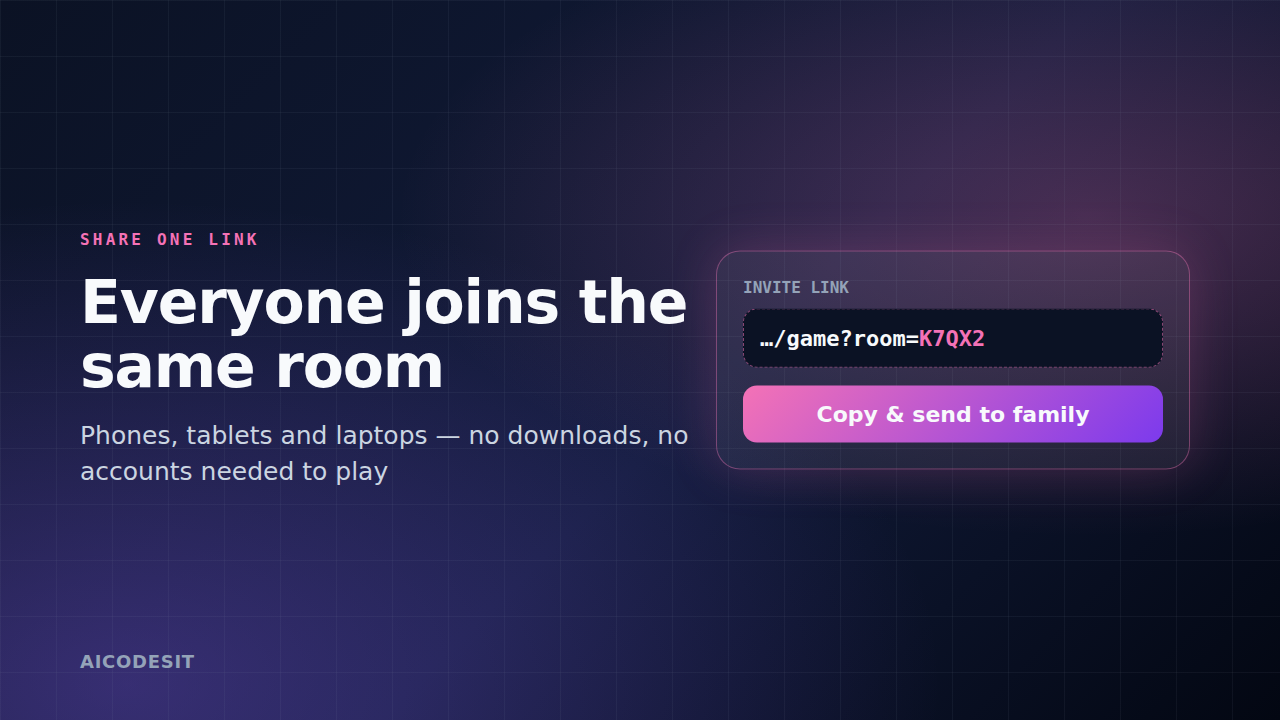
Sharing your game with everyone
Every game made with Aicodesit can be shared with a link. During building, your preview link works for testing with a few people. When you are happy with it, publish it so it has a permanent address that never changes — perfect to save in the family group chat.
Because the game runs in the browser, there is nothing to download and nothing for your guests to install. Uncles who "don't do apps" can play too.
How many people can play?
Multiplayer rooms are included on every plan. Up to 100 players can be in one room, and the number of people playing your game at the same time depends on your plan:
| Plan | Players at the same time |
|---|---|
| Free | 10 (to build and try your game) |
| Basic | 300 |
| Pro | 2,000 |
| Max | 5,000 |
For a small family game night, Free can be enough; with Basic, 300 people can play at once. If you want to publish your game for a school, a club or your followers, Pro and Max give you room for thousands of players — see the pricing page or our guide to what an Aicodesit subscription includes.
What works best (and what is harder)
Being honest helps you pick the right first project:
- Works great: quizzes, trivia, drawing games, voting games, bingo, card and board games, word games — anything where players take turns or answer questions.
- Works well with a bit of polish: simple real-time games where little characters move around, like collecting stars or tag.
- Harder: fast 3D shooters or racing games with physics. Those are big projects even for professional studios.
Start with a quiz or a party game, have fun with it, then try something more ambitious. If you want inspiration for bigger ideas, read how people build their own GTA-style game with AI.
How this compares to other game makers
There are several ways to make a game without coding. Game engines like Unity offer no-code tools — Unity's own guide to making games without coding is a good overview — but they take time to learn and you still have to host the game yourself.
Dedicated AI game makers are great for single-player prototypes. What makes Aicodesit different for game night is that everything is in one place: the AI builds the game, the multiplayer rooms are included, and the game is hosted and shareable straight away. If you are completely new, our beginner's guide explains the basics of building with AI.
Ideas to make your game unforgettable
- Birthday edition: a quiz all about the birthday person, played at the party.
- Holiday special: a Christmas, Eid or New Year quiz with themed colours and music.
- Long-distance family: a weekly game with grandparents abroad over a video call.
- Classroom fun: a revision quiz where the whole class answers on their phones.
- Office party: "Who said it?" with funny quotes from your team.
Each of these is just one prompt away. Describe it, play it in two tabs, polish it, share it.
Make your own multiplayer game with your kids
Building a game together is a brilliant weekend project. Kids are full of game ideas — "a race where dinosaurs collect pizza!" — and with AI they can see their idea come to life the same afternoon.
- Let them describe it: ask your child to explain the game while you type. You will be surprised how clear the rules are.
- Play, then improve: after each version, ask "what would make it more fun?" and send that to the AI.
- Invite the grandparents: the proudest moment is when grandma joins the game your child designed.
It is also a gentle introduction to how software is made: ideas, testing, feedback and improvements — without the frustration of learning syntax first.
A ready-made game night plan
Want to run a homemade game night this weekend? Here is a simple plan that works for 4–20 people:
- Warm-up (10 minutes): a quick "would you rather" round so everyone joins the room and gets used to their phone.
- Main event (20 minutes): your family quiz battle with personal questions and a leaderboard on the TV.
- Break: snacks while the scores are discussed loudly.
- Creative round (15 minutes): draw and guess with silly words.
- Finale: a final bingo round, and a trophy for the overall winner.
You can build each of these as a separate small game, or ask the AI to put them together into one "game night" app with a menu. Party games have been around for centuries — making your own simply gives them a personal twist.
Mistakes to avoid when you make your own multiplayer game
- Building everything at once. Start with the smallest fun version, play it, then add features.
- Forgetting slow players. Give enough time to answer — grandparents and young kids type slower.
- Not testing with two devices. Always check the game with at least two tabs before the big night.
- Tiny buttons. Phone players need big, easy targets.
- No plan for latecomers. Ask the AI to let new players join the next round, instead of breaking the current one.
Keeping it affordable
Building a game uses some AI from your plan's allowance. A few habits make it go much further: keep one chat for one game, write specific change requests, and batch small tweaks together. We collected all our tips in 12 insider tips to make your AI credits last longer.
FAQ
Do I need to know how to code?
No. You describe the game in plain English and the AI writes all the code, including the multiplayer part. If you are curious, you can open every file and look at it — but you never have to.
Do my friends need an account to play?
No. They open your invite link, type a name and play. You only need an account to build the game.
Can we play over a video call?
Yes. Everyone opens the same link on their own device while you talk on your usual video call app. It is a great way to play with family in other cities or countries.
Can I make a game in my own language?
Yes. Write your prompt in your language and ask for the game text in that language.
How long does it take to make your own multiplayer game?
A simple quiz or voting game is usually playable within a few minutes of describing it. Expect another half hour of small changes — your questions, colours, sounds and a winner screen — before it feels really polished. Bigger games with moving characters take longer, but you can always start small and add to it over a few evenings.
Is it free to make your own multiplayer game?
Yes, you can build your game on the Free plan and play it with up to 10 people at once. For more players, Basic ($5 a month) allows 300 at once, Pro 2,000 and Max 5,000.
Start your game night
Play Quiz Battle to see how it feels, then open your dashboard and make your own multiplayer game. Describe it, play it with two tabs, and send the link to your family. Game night starts now.